Customer Management — Get Lead
Fetches a single lead by phone number. Use this to look up a lead's details — and, importantly, to get its lead_id, which the task actions (Create Task, Complete Task, List Tasks) require.
Runs against your organization using the Superfone connection (your API key).
Endpoint
GET https://prod-api.superfone.co.in/superfone/enterprise/api/lead?phone={phone}
Input fields
| Field | Type | Required | Description |
|---|---|---|---|
phone | string | Yes | The lead's phone number in E.164 format (e.g. +918000000001). |
The underlying query parameter is phone (not customer_phone). In Pabbly, enter the customer's phone number in the lookup field.
How to use in Pabbly
- Add the Get Lead action.
- Map the customer's phone number (E.164) into the phone field.
- Send a test — the response contains the lead, including its
id(thelead_id). - In later steps, map
idfrom this action into thelead_idfield of the task actions.
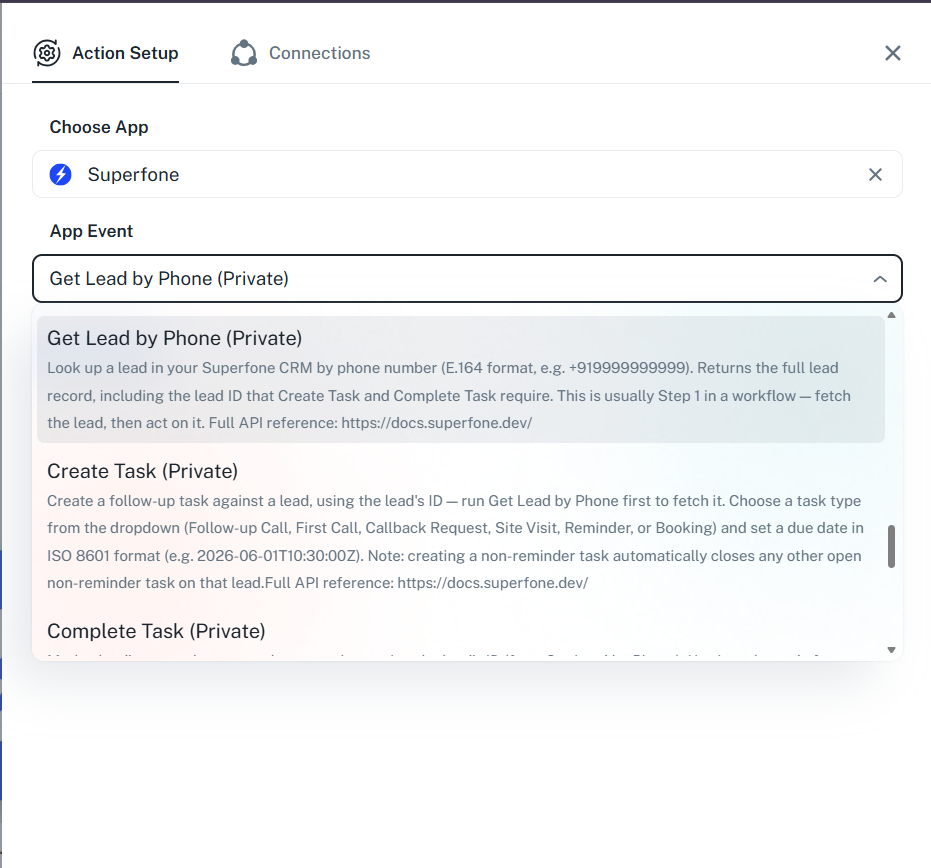
Example workflow
Call Completed trigger → Get Lead (by caller's phone) → Create Task (callback, using the
idreturned here aslead_id).
Response
Status Code: 200 OK
Returns the full lead object, including labels, lead stage, lead group, and assigned user. The id field is the lead_id used by the task actions.
{
  "data": {
    "id": 28148893,
    "org_id": 18805,
    "first_name": "Asha",
    "last_name": "Rao",
    "phones": [{ "phone": "+918000000001" }],
    "lead_stage": { "id": 44, "title": "New Paid Cx" },
    "lead_group": null,
    "labels": [],
    "assignee_user": null
  },
  "message": "success"
}
The exact fields returned depend on the lead. Always map the id field forward as lead_id.
Common errors
| Status Code | When it occurs | How to fix |
|---|---|---|
400 | Missing phone, or invalid phone format | Provide the phone in E.164 format. |
401 | Missing or invalid API key | Reconnect your Superfone account in Pabbly. |
404 | No lead exists with that phone number | Create the lead first with Create or Update Lead. |