Customer Management — List Tasks
Returns a paginated history of tasks for a lead.
Authentication Required
Runs against your organization using the Superfone connection (your API key).
Prerequisites
You need the lead's lead_id. If you only have a phone number, run Get Lead first.
Endpoint
GET https://prod-api.superfone.co.in/superfone/enterprise/api/lead/{lead_id}/task?page={page}&page_size={page_size}
Input fields
| Field | Type | Required | Description |
|---|---|---|---|
lead_id | number | Yes | The lead whose tasks to list. Obtain it from Get Lead. |
page | number | No | Page number, starting at 1. Defaults to 1. |
page_size | number | No | Records per page. Defaults to 20. Maximum is 20 — a larger value returns a 400. |
How to use in Pabbly
- Add the List Tasks action.
- Map
lead_id(from a Get Lead step). - Optionally set
pageandpage_size(max 20). - Save and test.
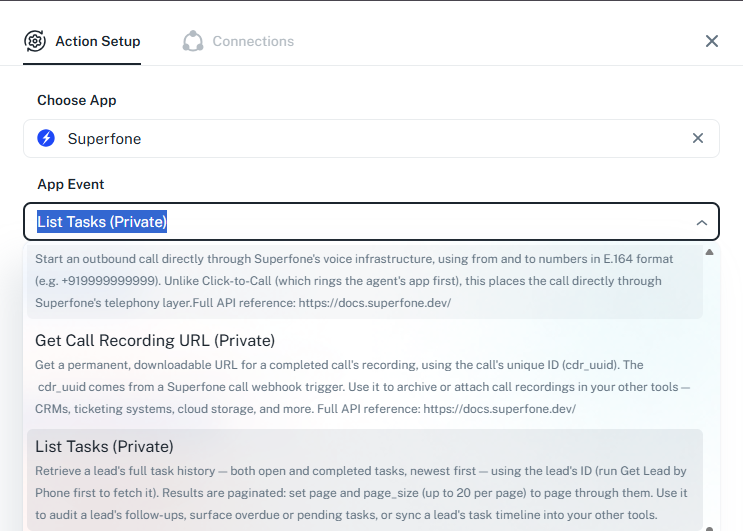
Example workflow
Daily scheduled trigger → Get Lead → List Tasks → filter for overdue tasks → notify the assigned rep.
Response
Status Code: 200 OK
Returns a pagination envelope: the rows array plus paging metadata.
{
  "data": {
    "rows": [
      { "id": 991234, "type": "FOLLOW_UP_CALL", "task_status": "PENDING", "due_date": "2026-06-01T10:30:00.000Z" }
    ],
    "total_pages": 1,
    "current_page": 1,
    "page_size": 20,
    "total_items": 1
  },
  "message": "success"
}
| Field | Type | Description |
|---|---|---|
data.rows | array | The tasks on this page. |
data.total_pages | number | Total number of pages. |
data.current_page | number | The page returned. |
data.page_size | number | Records per page. |
data.total_items | number | Total tasks for the lead. |
Common errors
| Status Code | When it occurs | How to fix |
|---|---|---|
400 | page_size greater than 20, or not a positive integer | Use a page_size between 1 and 20. |
401 | Missing or invalid API key | Reconnect your Superfone account in Pabbly. |
404 | Lead not found | Confirm the lead_id belongs to your org. |